Remember the last time you missed your favourite show because you weren’t home? I’ve been there too, and it’s frustrating.
Smart IPTV has transformed how we watch TV, freeing us from fixed schedules and traditional cable/satellite boxes. Today, you can stream live TV, movies, and series directly on your smartphone or tablet—at home, on the commute, or while travelling.
UKIPTVSUB is the most stable IPTV I’ve used – no buffering even during live sports!
 Rated 4.8| Excellent
 Trustpilot
However, as organisations like the European Audiovisual Observatory note, IPTV is a delivery technology, not a specific service, and is often bundled with different content providers and technical setups, which can be confusing for end users (EAO overview). With hundreds of apps calling themselves “IPTV players” or “IPTV Pro,” choosing the right one for smooth mobile streaming is not straightforward.
Below are seven of the most reliable smart IPTV apps I’ve tested for mobile use. These apps act as players—you typically still need your own IPTV subscription or playlist (M3U, Xtream Codes, etc.) from a legal provider. For general background on IPTV technology and legality, see the Internet Engineering Task Force (IETF) IPTV architecture overview (IETF RFC 7913) and Ofcom’s guidance on internet-delivered TV in the UK (Ofcom–TV & on-demand).
1. IPTV Smarters Pro
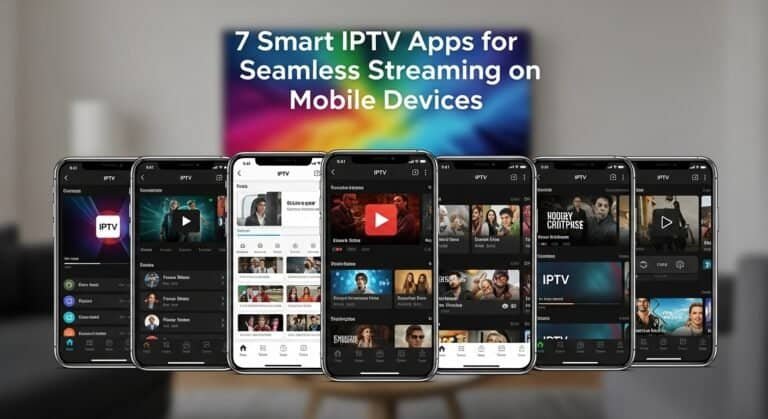
7 Smart IPTV Apps for Seamless Streaming on Mobile Devices
Image Source: www.iptvsmarters.com
Best for: All‑round features and polished mobile experience
Official site: https://www.iptvsmarters.com/
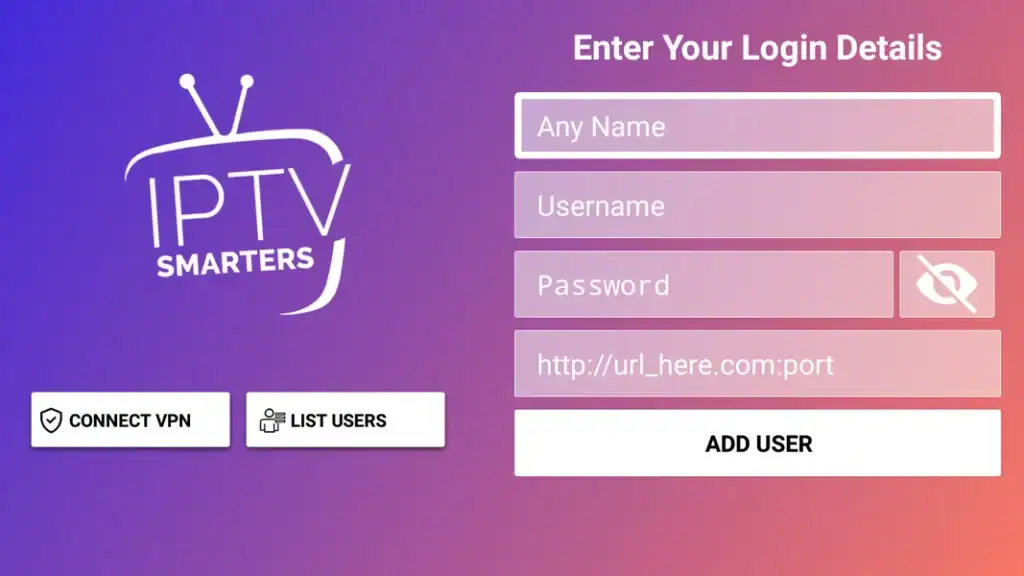
I’ve spent countless hours testing various IPTV applications, and IPTV Smarters Pro consistently stands out as a versatile smart IPTV player that delivers exceptional performance across devices.
IPTV Smarters Pro is one of the most popular smart IPTV players across Android, iOS, and smart TVs, known for its clean design and broad feature set.
Key Features & Interface
- Intuitive, touch‑friendly UI
- Global “master search” across Live TV, Movies, and Series
- Customisable themes and colour schemes
- Electronic Programme Guide (EPG) with TV‑guide style layout
- Multi‑screen (watch several channels at once on supported devices)
- Catch‑up TV (if your provider supports it)
- Picture‑in‑Picture (PiP) mode
- Integration with external players (e.g., VLC, MX Player)
The concept of EPG and catch‑up aligns with standard IPTV functionality as described in the ITU’s IPTV services overview (ITU IPTV Focus Group).
Mobile Optimisation
On mobile, IPTV Smarters Pro is noticeably tuned for:
- Battery and data efficiency
- Touch navigation
- HW+ Decoder support to reduce buffering and improve playback on weaker networks
Nearly all desktop features are available in the mobile app, but the layout is adjusted for smaller screens.
Pricing (Indicative)
- 1 Month: ~£15.05
- 6 Months: ~£31.73
- 1 Year: ~£47.61
A limited free version lets you test the interface and compatibility. Each paid plan typically includes:
- Live TV, VOD, and series support
- Multi-device use (depending on licence)
- EPG, catch‑up (if your provider supports it), and multi‑screen
Remember: IPTV Smarters Pro is a player and does not legally include content by default; you must add your own playlist or provider.
2. GSE Smart IPTV
Image Source: App Store – Apple
Best for: Format support and multilingual users
App Store listing: https://apps.apple.com/app/gse-smart-iptv/id1028734023 (iOS)
After exploring numerous mobile streaming solutions, I’ve found GSE Smart IPTV to be a standout choice for its robust feature set and reliable performance.
GSE Smart IPTV is widely recommended in technical communities for its powerful player and broad compatibility.
Mobile Experience
- Interface balances simplicity with deep configuration options
- Supports 31 languages, independent of device language
- Easy playlist management for local and remote lists
- Parental controls for safer viewing
- Chromecast and AirPlay support for casting to larger screens (mirroring the casting approach described in Google’s Chromecast developer docs: https://developers.google.com/cast)
Streaming Quality & Formats
- Built‑in 4K‑capable player (device and bandwidth permitting)
- Handles M3U, M3U8, RTMP, and more
- Intelligent M3U parser to speed up playlist loading
- Auto live‑stream reconnection to minimise interruptions
This aligns with industry practice where IPTV clients must support multiple streaming protocols like HLS (M3U8) and RTMP, as discussed by the Streaming Video Alliance (SVA–HLS overview).
Subscription Options (Approximate)
- 1 Month: $3.96
- 3 Months: $7.93
- 12 Months: $11.90
All plans auto‑renew unless cancelled via the app store at least 24 hours before renewal. GSE is a player only; you add your own IPTV provider.
3. Purple Player
7 Smart IPTV Apps for Seamless Streaming on Mobile Devices
Image Source: Google Play
Best for: Cross‑device sync and family use
Google Play listing: https://play.google.com/store/apps/details?id=com.purple.iptv
In my extensive testing of mobile streaming solutions, Purple Player stands out as a versatile smart IPTV app that brings something unique to the table – true cross-platform synchronisation.
Purple Player focuses on usability and cross‑platform synchronisation, making it attractive for households with multiple devices.
Mobile Interface
- Modern UI optimised for various phone and tablet sizes
- Multi‑language support (EN, IT, FR, PT, RU, ES, and more)
- Separate sections for:
- Live TV
- VOD
- Movies
- Series
- Unified favourites list across all categories
- Built‑in parental controls
- Quick bug reporting for faster support
Performance & Features
- Cloud sync for favourites and settings across devices
- Picture‑in‑Picture mode for multitasking
- Manual refresh of Live TV/VOD/Series data
- Minimal buffering when used with a stable provider
- Support for common IPTV formats (M3U, Xtream Codes, etc.)
Pricing
- Monthly: ~£1.58
- Annual: ~£7.93
Premium features include:
- Multiple profiles (ideal for families)
- Cloud sync
- Priority support
- Enhanced streaming and UI options
A free version is available to test before subscribing.
4. OTT Navigator
7 Smart IPTV Apps for Seamless Streaming on Mobile Devices
Image Source: YouTube
Best for: Power users and extensive customisation
Google Play listing: https://play.google.com/store/apps/details?id=studio.scillarium.ottnavigator
Having tested numerous IPTV applications, I’ve discovered that OTT Navigator takes customization to an entirely new level, offering unparalleled control over my streaming experience.
OTT Navigator offers one of the most configurable IPTV experiences on Android and is popular among advanced users.
Mobile Capabilities
- Highly customisable interface (themes, layouts, channel grouping)
- Picture‑in‑Picture for watching while using other apps
- Favourite channels and categories for quick access
- Auto‑start on the last channel watched
- Programme reminders via EPG
- Multiple EPG sources support
Streaming Features
- Supports M3U, XML, XSPF and more
- Multi‑connection support to combine or switch providers
- Hardware codec optimisation for smoother playback
- Intelligent buffer management to reduce freezing and stuttering
The idea of multiple EPG sources and multi‑provider support aligns with IPTV aggregators described in academic work on hybrid IPTV ecosystems (Springer – Hybrid Broadcasting–Broadband TV).
Pricing
- Free: Basic playback, EPG, limited customisation
- Premium (one‑time payment):
- Studio Mode (watch up to 9 channels at once)
- PiP and advanced layouts
- Cloud backup
- Enhanced codec and stream settings
- Multi‑connection features
No recurring subscription makes the premium tier attractive if you want a one‑off purchase.
5. TiviMate (Mobile Use)
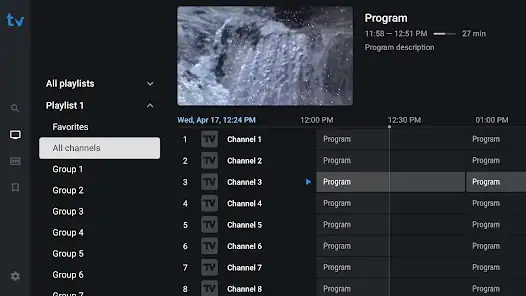
Image Source: tivimate.com
Best for: Users who already love TiviMate on Android TV
Official site: https://tivimate.com/
While exploring TiviMate as a smart IPTV player, I discovered it’s quite different from typical mobile streaming apps. It’s worth noting that this isn’t your conventional mobile-first solution – but that doesn’t mean it can’t work on your smartphone.
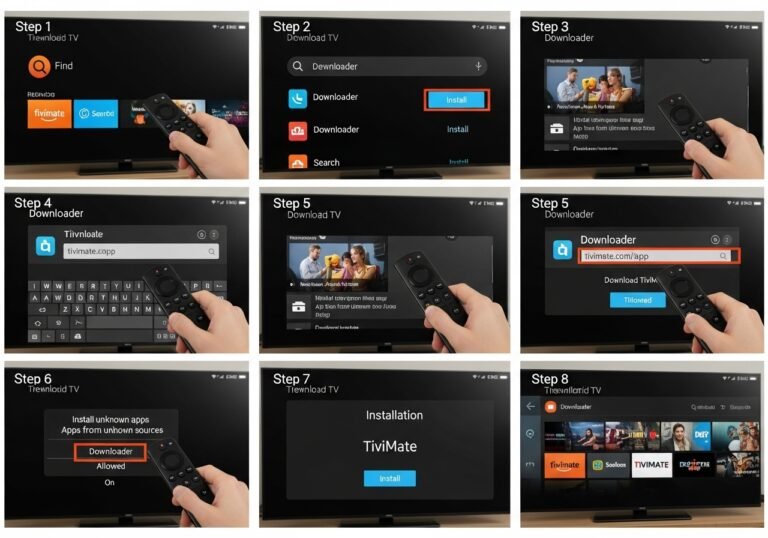
TiviMate is primarily designed for Android TV devices (NVIDIA Shield, Fire TV, etc.), but some users sideload it onto phones or tablets.
Mobile User Experience
Because it’s TV‑oriented:
- Interface is optimised for remote controls, not touch
- Requires APK sideloading for many phones
- Once installed, you still get:
- Advanced playlist management
- Excellent channel organisation
- Strong EPG integration
- Multi-device premium usage (up to 5 devices)
Streaming Quality
- Handles 4K content well on compatible hardware
- HDR support may be inconsistent depending on device
- Very stable long‑session playback
- Generally matches performance of set‑top boxes even on mobile
Pricing
- Monthly: $13.99
- Lifetime: $39.00 (one‑time)
Premium includes:
- All advanced features
- Support for up to 5 devices on one account
- Regular stability updates
- Full EPG and playlist management
Development has slowed somewhat, but the app remains stable and highly capable—especially if you are already using it on an Android TV device and want a consistent experience across platforms.
6. IPTV Extreme Pro
7 Smart IPTV Apps for Seamless Streaming on Mobile Devices
Image Source: Google Play
Best for: Recording, time‑shift, and advanced controls
Google Play listing: https://play.google.com/store/apps/details?id=com.italiansw.iptvextremepro
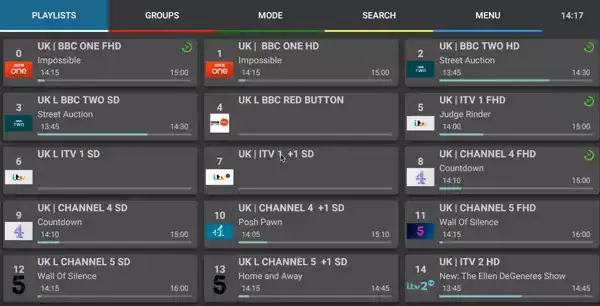
Looking for a versatile smart IPTV player that combines simplicity with advanced features? Through my extensive testing, I’ve found IPTV Extreme Pro to be an excellent choice for users who prioritise both functionality and ease of use.
IPTV Extreme Pro combines a straightforward interface with advanced features like recording and time‑shifted viewing.
Mobile Features
- Two integrated player modes: Advanced and Light (helpful for older phones)
- Auto‑start after device reboot (for set‑top or dedicated IPTV devices)
- Built‑in recording for later viewing
- Multi‑EPG support with automatic updates
- Adjustable Picon (channel logo) sizes
- Strong parental controls
Recording and time‑shift align with typical personal video recorder (PVR) functionality described in DVB standards for digital TV (DVB Project – PVR).
Performance
- AntiFreeze Technology to maintain smooth playback
- Claimed 99.9% uptime when used with compatible services
- 4K and UltraHD support, assuming sufficient bandwidth (guidance from Netflix and YouTube suggests a minimum of 15–25 Mbps for stable 4K streaming:
The built‑in recording engine performs reliably for most streams that allow recording.
Pricing
Typical provider packages (when bundled with service) may look like:
- Bronze (3 months): £33.99
- Silver (6 months): £49.99
- Gold (12 months): £44.99
The IPTV Extreme Pro app itself on Google Play is a one‑time payment (around £0.79) to remove ads and unlock pro options. Content access depends on your separate IPTV subscription.
7. Lazy IPTV
7 Smart IPTV Apps for Seamless Streaming on Mobile Devices
Image Source: PGYER
Best for: Free, lightweight, and playlist‑driven streaming
Example listing (Android): https://apkpure.com/lazy-iptv/com.lazycatsoftware.iptv
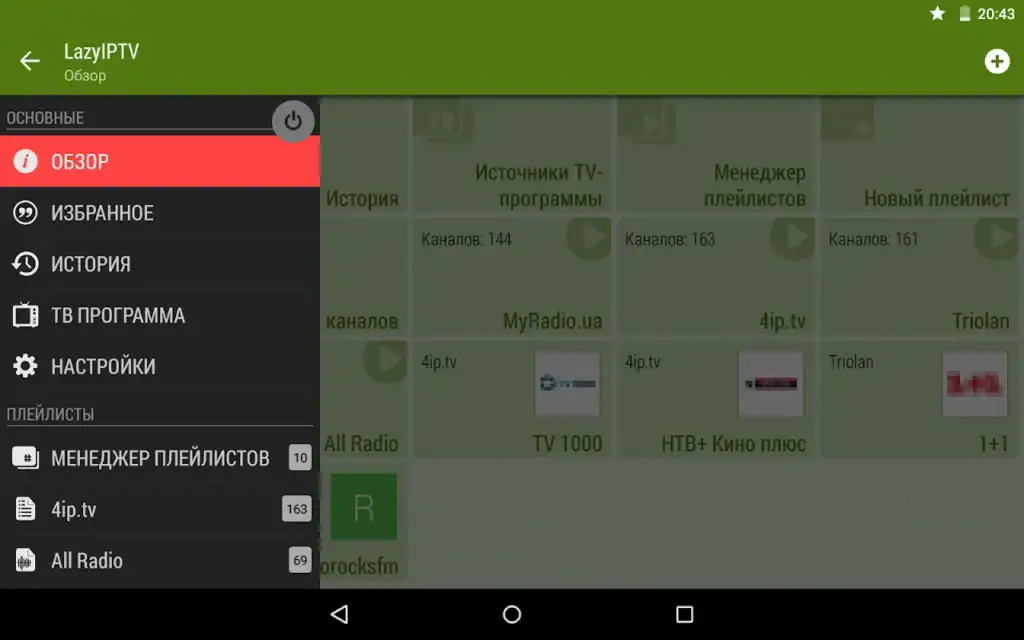
In my journey through various streaming solutions, I’ve found that sometimes simplicity trumps complexity. Lazy IPTV embodies this philosophy, offering a refreshingly straightforward approach to mobile streaming.
Lazy IPTV focuses on functionality over appearance and remains a favourite for users wanting a completely free IPTV player.
Mobile Interface
- Simple, utilitarian design
- Very intuitive playlist management:
- Custom names and icons
- Folder‑based organisation
- Built‑in file manager with cloud support (e.g., Google Drive, Dropbox via Android)
- Auto‑updating playlists
- Global search across all lists
Streaming Capabilities
- Supports HTTP and UDP streams
- Works with M3U and XSPF playlists
- Built‑in support for:
- Internet radio
- VK and YouTube links
- Auto‑reconnect for unstable streams
- Cached playlist versions to browse offline
Cost & Features
- Completely free (ad‑supported in some builds)
Includes:
- Playlist management and EPG support (XMLTV, JTV)
- Parental controls
- Backup/restore of settings and playlists
- Multiple UDP proxy support (often used with VPNs for geo‑restricted streams—see the EFF’s overview of VPN privacy considerations: https://www.eff.org/issues/privacy)
Lazy IPTV is ideal if you want a no‑cost, capable IPTV player and are comfortable managing M3U files yourself.
Comparison Table
| App Name | Pricing Structure* | Key Mobile Features | Streaming Capabilities | Notable Special Features |
|---|---|---|---|---|
| IPTV Smarters Pro | 1M: £15.05; 6M: £31.73; 1Y: £47.61 | Multi‑screen, touch‑optimised, battery‑efficient | HW+ Decoder; external player support | EPG, catch‑up TV, PiP |
| GSE Smart IPTV | 1M: $3.96; 3M: $7.93; 12M: $11.90 | 31 languages, themes, parental controls | 4K support; M3U/RTMP; auto‑reconnect | Chromecast/AirPlay; intelligent M3U parser |
| Purple Player | Monthly: £1.58; Annual: £7.93 | Multi‑language; unified favourites; UI for all sizes | Multiple formats; low buffering | Cloud sync, multi‑profile, 24/7 support |
| OTT Navigator | Free; Premium one‑time payment | PiP, custom layouts, programme reminders | Multi‑connections; codec optimisation | Studio Mode (up to 9 channels), cloud backup |
| TiviMate (Mobile) | Monthly: $13.99; Lifetime: $39.00 | Multi‑device (up to 5); playlist & channel tools | 4K; stable long‑session playback | Top‑tier EPG, TV‑focused UI adapted via sideload |
| IPTV Extreme Pro | App Pro: ~£0.79 one‑time; service varies | Auto‑startup; recording; adjustable Picons | 4K/UltraHD; AntiFreeze; multi‑EPG | Time‑shift; built‑in recorder; strong parental control |
| Lazy IPTV | Free | Playlist manager; file manager; cloud support | HTTP/UDP; radio; auto‑reconnect | Folder organisation; backup/restore; UDP proxy support |
*Pricing is indicative and may vary by region, platform, or provider.
Frequently Asked Questions (FAQ)
1. What is a smart IPTV app?
A smart IPTV app is a software player that lets you watch TV channels and on‑demand content delivered over IP networks (internet or managed IP). It does not necessarily include content. The ITU defines IPTV as multimedia services delivered over IP networks with quality of service and security guarantees (ITU IPTV overview).
Most mobile IPTV apps:
- Load playlists (M3U, JSON, Xtream Codes, etc.)
- Present EPG data (TV guide)
- Manage Live TV, VOD, and series sections
You still need a legal content source.
2. Are IPTV apps legal?
The apps themselves are typically legal; they are just media players. Legality depends on what you watch and where you live.
- Watching licensed content from legitimate providers (ISPs, broadcasters, official OTT services) is legal.
- Streaming unlicensed premium channels, movies, or sports without rights can violate copyright law. For example, the European Court of Justice has ruled that selling devices configured for pirated content is illegal (CJEU Case C‑527/15).
Check your country’s copyright regulations or consumer authority (e.g., UK Intellectual Property Office) before using any IPTV service.
3. Do these apps include channels, movies, or sports?
In most cases, no. The apps listed here (IPTV Smarters Pro, GSE, OTT Navigator, TiviMate, etc.) are players only. You must provide:
- An M3U or M3U8 playlist URL
- Xtream Codes login (username, password, URL)
- Or a similar connection string from a separate IPTV provider
Any app or website that advertises “all channels free forever” is highly likely to be unlicensed. Use caution and verify provider legitimacy. Organisations like the Motion Picture Association (MPA) and Alliance for Creativity and Entertainment (ACE) actively pursue large piracy networks (ACE enforcement activity).
4. Which IPTV app is best for mobile users?
It depends on your priorities:
- Best all‑rounder: IPTV Smarters Pro
- Best format support & casting: GSE Smart IPTV
- Best for multiple devices & families: Purple Player or OTT Navigator
- Best free option: Lazy IPTV
- Best for recording & time‑shift: IPTV Extreme Pro
- Best if you already use Android TV: TiviMate (with sideloading)
Try free versions where available. Compatibility with your specific IPTV provider is more important than the app’s brand name.
5. What internet speed do I need for IPTV on mobile?
Industry guidelines from major streaming platforms suggest:
- SD (480p): 3–4 Mbps
- HD (720p–1080p): 5–10 Mbps
- 4K (2160p): 15–25 Mbps
References:
- Netflix bitrate recommendations: https://help.netflix.com/en/node/306
- YouTube streaming quality guide: https://support.google.com/youtube/answer/2853702
For IPTV, aim for at least 10 Mbps for a single HD stream and add more if multiple devices are streaming simultaneously.
6. How do I add an M3U playlist to an IPTV app?
The process varies slightly, but typically:
- Open the app and go to Playlists, Add Playlist, or Add New User.
- Choose the type: M3U URL, File, or Xtream Codes API.
- Paste the URL or select the file provided by your IPTV service.
- Wait for channels and EPG to load.
- Save, then browse Live TV, Movies, or Series.
Many app developers offer step‑by‑step guides; for example:
- IPTV Smarters user manual: https://www.iptvsmarters.com/docs/
- Community guides for M3U usage: https://trac.ffmpeg.org/wiki/StreamingGuide (general streaming context)
7. Should I use a VPN with IPTV on mobile?
A VPN can:
- Improve privacy by encrypting traffic (see Electronic Frontier Foundation’s VPN overview: https://www.eff.org/issues/privacy)
- Help avoid ISP throttling (where legal)
- Sometimes resolve regional blocking issues
However:
- VPNs do not make illegal streaming legal
- They may reduce speed if the server is slow
- Some IPTV providers block known VPN IP ranges
If you use a VPN, choose a reputable provider with clear privacy policies and sufficient bandwidth.
8. Can I record IPTV streams on mobile?
Yes, but only some apps support recording, and only if:
- The app implements a recording feature (e.g., IPTV Extreme Pro, some versions of IPTV Smarters Pro)
- Your IPTV provider and local laws allow recording
From a legal standpoint, personal time‑shifting is treated differently in different jurisdictions (for example, fair use or private copy exceptions). Check local regulations or guidance from your national copyright office.
9. Which IPTV app is the most beginner‑friendly?
For most new users:
- IPTV Smarters Pro: Very clear UI, easy login, good EPG
- GSE Smart IPTV: Also friendly, particularly on iOS
- Lazy IPTV: Simple, but more manual playlist work
If you’re not technically inclined, start with IPTV Smarters Pro or GSE and a provider that offers clear setup instructions.
10. How do I choose a safe IPTV provider to use with these apps?
Look for:
- Transparent ownership and contact information
- Clear terms of service and privacy policy
- Limited, region‑appropriate channel offerings
- No unrealistic claims like “every paid sports channel worldwide free”
Consumer protection bodies (e.g., FTC in the US) and national telecom regulators (e.g., Ofcom in the UK) often publish warnings about illegal streaming services and scams.
Conclusion
These seven smart IPTV apps all deliver strong mobile streaming experiences, but they serve slightly different audiences:
- Feature‑rich and polished: IPTV Smarters Pro, GSE Smart IPTV
- Highly customisable and power‑user friendly: OTT Navigator, TiviMate
- Budget‑friendly and simple: Purple Player, Lazy IPTV
- Recording and time‑shift focused: IPTV Extreme Pro
Streaming quality will ultimately depend on your internet connection, device performance, and—crucially—your IPTV provider’s infrastructure. Most of these apps support EPG, playlists, and even 4K streams when conditions allow.
If you’re unsure where to begin, install the free version of IPTV Smarters Pro, GSE Smart IPTV, or Lazy IPTV on your phone, load a legal playlist from your provider, and test how well it works for your daily viewing habits before committing to any premium subscription.