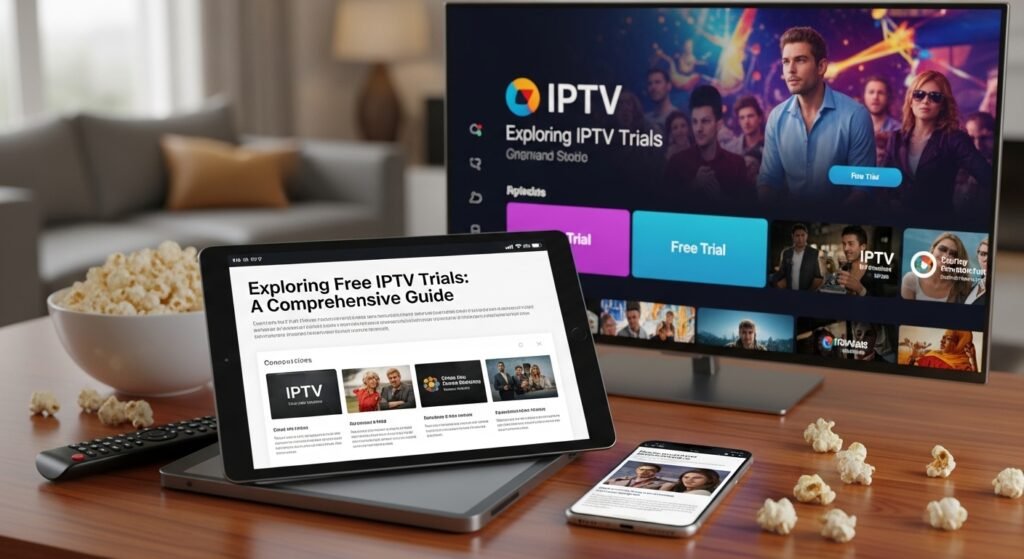
IPTV (Internet Protocol Television) is quickly becoming one of the most popular ways to watch live TV, movies, and series over the internet, often at a fraction of the cost of traditional cable. Research from organizations like Ofcom and Statista shows a steady shift from cable/satellite towards internet‑based TV.
One of the safest and smartest ways to choose a reliable IPTV provider is to use a free IPTV trial. This lets you test streaming quality, channels, and app usability before spending any money.
If you want a stable IPTV service with Fire Stick support, UK/US/International channels, and trial options, you can check out ukiptvsub.com/. We focus on high‑quality IPTV subscriptions with clear setup guidance and support.
What Is an IPTV Free Trial?
An IPTV free trial is a limited‑time test of an IPTV provider’s service. It typically lasts from 24 hours up to 7 days, and usually includes:
Live TV channels
Video‑on‑Demand (VOD) movies and series
Electronic Program Guide (EPG)
Access on multiple devices (e.g., Fire Stick, Smart TV, mobile, PC)
The purpose is simple: let you evaluate stability, channel variety, and overall user experience before committing to a paid plan.
Live TV Channels Access to a large list of local and international channels (sports, news, movies, kids, entertainment).
Video-on-Demand (VOD) A library of movies and TV series you can watch anytime.
Electronic Program Guide (EPG) A TV guide that shows what’s on now and what’s coming up. This mimics the experience of cable/satellite EPGs.
HD/4K Streaming Quality Many providers offer Full HD and even 4K streams, assuming your internet meets the requirements. For streaming bandwidth guidelines, see Netflix’s help page on internet speed.
Multi-Device Compatibility Support for:
Amazon Fire Stick / Fire TV
Android TV boxes
Smart TVs (via apps)
Android / iOS phones & tablets
PCs via apps or web players
At ukiptvsub.com/, our subscriptions are optimized for Fire Stick, Android TV, and Smart TV users, with step‑by‑step setup assistance.
Why Choose an IPTV Free Trial?
Using a free trial is the safest way to choose a provider and avoid wasting money on poor service.
1. Evaluating Streaming Quality Without Risk
During a trial, you can check:
How often streams buffer
Whether HD/4K works smoothly
If streams cut out during peak times (evenings, weekends)
Use a tool like Speedtest by Ookla to confirm your connection speed and compare that with the provider’s quality.
2. Exploring Channel Variety and Content Library
Every provider’s channel list is different. With a trial, you can:
Check if your must‑have channels (sports, local, international, kids, etc.) are included
See how many backup sources exist for major channels
Browse the VOD library for the latest movies and series
If you’re focused on UK, European, or international channels, you can explore lineups and trial options at ukiptvsub.com/.
3. Assessing Device Compatibility
A trial lets you confirm:
The service works well on your Fire Stick, Smart TV or Android box
While many IPTV “brands” exist, most free trials are delivered through apps/players using M3U or Xtream Codes API. Some well‑known apps used in conjunction with trials include:
IPTV Smarters Pro (App)
A popular player (not a provider) for loading IPTV subscriptions
At ukiptvsub.com/, we specifically optimize and document setups for Fire Stick and popular Android/Smart TV platforms.
5. Customer Support
How quickly do they respond to questions?
Do they provide setup guides and troubleshooting help?
Is support available via email, chat, or messaging apps?
Quality customer support is often what separates reliable IPTV services from low‑quality ones.
Conclusion: Use IPTV Free Trials to Choose Wisely
An IPTV free trial is one of the best tools you have to:
Test streaming quality and server stability
Verify channel lineup and VOD content
Confirm device compatibility (especially Fire Stick and Smart TV)
Evaluate user interface and customer support
Instead of gambling on a long subscription, you can trial multiple services and then choose the one that best fits your needs.
If you want a reliable IPTV service with strong Fire Stick support, clear setup help, and trial/short‑term options, visit ukiptvsub.com/. Our team focuses on stable IPTV with easy configuration, so you can start watching quickly and confidently.
Frequently Asked Questions (FAQ) About IPTV Free Trials
1. What is an IPTV free trial and how does it work?
An IPTV free trial is a temporary, no‑cost access period to an IPTV service. You receive login details (M3U or Xtream Codes) or access to an app and can test:
Live TV channels
VOD movies and series
EPG and features
When the trial ends, your access stops unless you choose to subscribe.
2. Is using an IPTV free trial legal?
The technology (IPTV) is legal. Legality depends on whether the provider has the rights to the content they stream.
Legal services: Licensed content, clear terms, often region‑specific rights
Illegal services: Redistribute channels/content without proper licenses
You should always choose providers that respect copyright and local laws. For guidance, see:
8. Can I get multiple IPTV free trials from different providers?
Yes. You can test several providers to compare:
Picture quality
Channel lists
Stability
App experience
Support quality
Just be sure to use valid contact information and respect each provider’s terms.
9. What should I look for in a good IPTV provider after the trial?
Key factors:
Stable streams during peak hours
Your required channels and VOD
Clear pricing and billing terms
Responsive customer support
Good reputation and uptime
If you want to skip the guesswork and start with a reliable, Fire Stick‑friendly IPTV service, visit ukiptvsub.com/.
10. I’m not very technical—can I still use an IPTV trial?
Yes. Look for providers that:
Offer simple instructions for your device
Have responsive support (email/chat/WhatsApp)
Use well‑known apps like TiviMate or IPTV Smarters
At ukiptvsub.com/, we specialize in helping non‑technical users get started quickly, especially on Fire Stick and Smart TV.
Using IPTV free trials wisely helps you choose the right service, at the right price, with the right channels—without any financial risk. When you’re ready to test a high‑quality, Fire Stick‑optimized IPTV service with strong support, head over to ukiptvsub.com/.
Newsletter Updates
Enter your email address below and subscribe to our newsletter


 Rated 4.8| Excellent
 Trustpilot


[…] What is an IPTV Free Trial? […]