How This Win‑Win Deal Works
Referral deals are everywhere now—phone contracts, energy, streaming services—but when it comes to IPTV, a good referral offer can be especially powerful.
Imagine this:
- You already enjoy IPTV at home
- You recommend it to a friend
- They sign up for a 12‑month IPTV plan
- And because of that, YOU get 2 months FREE and THEY get 1 month FREE for being new
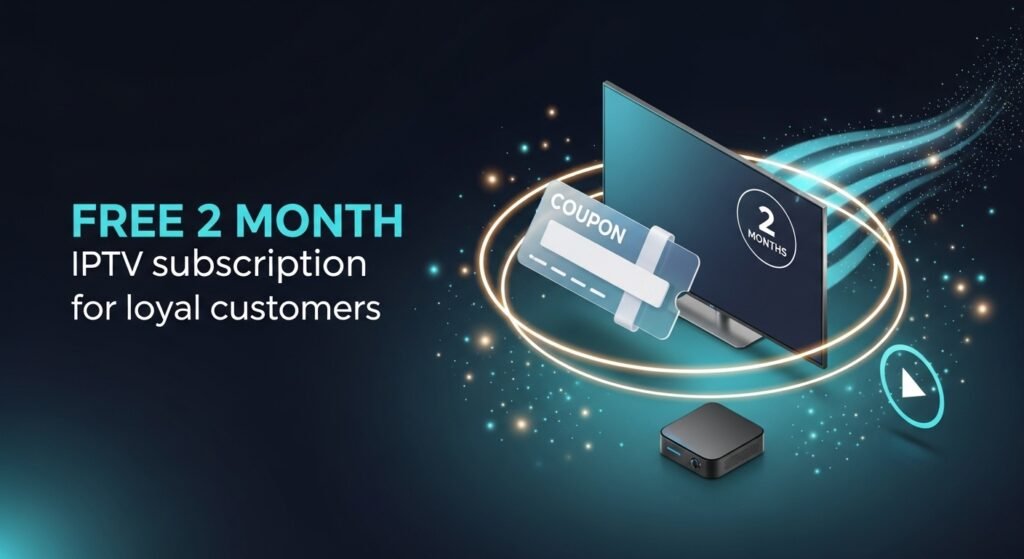
That’s exactly what this “Bring a Friend & Get 2 Months FREE” IPTV offer does. It rewards you for sharing a service you use, and it makes it easier (and cheaper) for your friend to start.
This article explains:
- What the referral offer includes
- Who it’s for and how to qualify
- How to claim it step‑by‑step
- How to help your friend set up IPTV
- How to make sure you both actually get the full benefit
<
UKIPTVSUB is the most stable IPTV I’ve used – no buffering even during live sports!
⭐ ⭐ ⭐ ⭐ ⭐ Rated 4.8 on Trustpilot
Try UKIPTVSUB Now →The Offer: Bring a Friend & Get 2 Months FREE
The promotion is simple but generous:
Bring a new customer who buys a 12‑month IPTV plan, and:
👉 YOU get 2 months FREE
👉 THEY get 1 month FREE (as a new customer)A true win‑win deal.
So:
- If your friend buys 12 months, they receive 13 months
- You get 2 bonus months added to your own existing subscription
This is especially attractive if:
- You’ve been using IPTV for a while and love it
- You have friends or relatives always complaining about cable prices
- You want to extend your IPTV subscription without paying extra
Who Can Use This IPTV Referral Offer?
To keep it fair and meaningful:
You (the referrer) usually must:
- Have an active IPTV subscription with the provider
- Be in good standing (no unpaid invoices, no banned accounts)
Your friend (the new customer) must:
- Be a new customer (no previous subscriptions with that provider)
- Purchase a 12‑month IPTV plan
When both conditions are met, the offer is triggered:
- You get 2 free months
- Your friend gets 1 free month added to their 12‑month plan
Always check the exact terms on your provider’s site, but the principle is the same across most “bring a friend” IPTV deals.
How to Claim “Bring a Friend & Get 2 Months FREE” (Step-by-Step)
Here’s how to do it in a practical, no‑nonsense way.
Step 1: Use IPTV Yourself for a Bit
Before recommending anything, make sure:
- You’re happy with the channel quality
- Streams are stable for you (especially sports & prime-time)
- Support has been helpful if you had questions
Your genuine experience is your best sales pitch to your friend.
Step 2: Tell Your Friend About the Offer
Explain clearly:
- If they buy a 12‑month IPTV plan, they get 1 month FREE
- Because they used your referral, you get 2 months FREE
This way, your friend understands:
- It’s not a one‑sided deal
- They benefit directly as a new customer
Step 3: Make Sure They Use Your Referral Details
Depending on the provider, they might:
- Enter your email address in a “referral” field
- Use a referral code that’s linked to your account
- Forward their order/email to support quoting your details
Tell your friend exactly what to do so the link between your accounts is clear.
Step 4: Friend Buys a 12‑Month Plan
Your friend completes a standard purchase:
- Chooses the 12‑month plan
- Pays via the normal payment method
- Receives their IPTV line (m3u URL or Xtream Codes)
At this point:
- They qualify for their 1 free month
- The referral system flags your account for 2 free months
Step 5: Confirm Free Months Are Added
Once everything is processed:
- Your friend should see 12 + 1 months on their account
- You should see your remaining time + 2 extra months
If it’s not obvious in the portal/app, contact support to confirm your new expiry dates.
Why This IPTV Referral Offer Is a Genuine Win‑Win
A lot of “invite a friend” deals feel one‑sided, but here’s why this one works for everyone.
Benefits for You
- You save money: 2 months free is a real chunk of your yearly cost
- You keep watching IPTV without worrying about renewal as soon
- You don’t need to change how you watch—your existing setup stays the same
Benefits for Your Friend
- They pay for 12 months but receive 13 months
- They get a trusted recommendation, not a random provider
- They can ask you for help with setup, tips, and best practices
Benefits for the Provider
- They get a new long-term customer (12-month plan)
- They reward loyalty in a way that actually makes sense
- They grow via word-of-mouth, which is more sustainable than just ads
Everyone has a reason to be happy with the deal—hence, “a win‑win deal.”
How to Help Your Friend Set Up IPTV (So the Offer Sticks)
If your friend struggles with IPTV, they might give up early. Helping them get set up smoothly protects BOTH of your free months (and their satisfaction).
1. Check Their Internet
Ask them:
- What speed is your broadband?
- Do you use Wi‑Fi or can you plug in via Ethernet?
Remind them:
- 10–15 Mbps per HD stream is a good baseline
- Wired connections are always more stable than Wi‑Fi
Helpful resource: Ofcom’s broadband speed guide.
2. Recommend a Good Device
Share what you use:
- Smart TV app
- Firestick / Fire TV
- Android TV box
- Or mobile/laptop if they prefer
Often, Firestick or Smart TV apps are easiest for non-technical users.
3. Walk Them Through the App Install
For example, for Firestick:
- Go to Find → Search
- Type in the IPTV player name
- Install it
- Open and go to Settings / Add Playlist / Login
For Smart TV:
- Open the TV’s app store
- Search “IPTV” or the specific app recommended
- Install and open
4. Show Them How to Enter Their IPTV Details
They’ll receive:
- m3u URL or
- Xtream Codes (server, username, password)
Help them:
- Copy and paste or type these into the app
- Save
- Refresh channels and VOD lists
5. Help Them Explore
During the first week:
- Show them live sports channels
- Point out key movie and series sections
- Help them build a Favorites list
- Explain EPG (TV guide) if available
The more they use IPTV, the more they’ll appreciate the value of the 13 months they just got.
Common IPTV Pain Points (and How to Fix Them Together)
When you bring a friend to IPTV, you’ll often see the same first problems pop up. Here’s how to handle them.
Buffering During Big Matches
Likely causes:
- Weak Wi‑Fi
- Slow broadband
- Overloaded server
Quick fixes:
- Move to Ethernet or closer to router
- Pause other heavy downloads/streams at home
- Test another device to rule out local issues
- Contact support if buffering is persistent
“Too Complicated” Setup
Solution:
- Do it with them the first time (screen‑share, WhatsApp call, or in person)
- Share screenshots of your settings
- Remind them they only have to set it up once per device
Channel or VOD Not Working
Solution:
- Try another related channel (e.g., alternate sports feed)
- Restart the app, clear cache if needed
- Report broken links to support, especially for premium events
Featured Snippet Style Summary
The “Bring a Friend & Get 2 Months FREE” IPTV offer lets existing subscribers earn 2 free months of IPTV when they refer a new customer who buys a 12‑month plan. The new customer also gets 1 free month added to their 12 months, so both users benefit. It’s a win‑win deal that extends your subscription time while helping your friend start IPTV with extra value.
Frequently Asked Questions: Bring a Friend & Get 2 Months FREE IPTV Offer
1. How exactly do I get my 2 free months?
You receive 2 extra months when:
- You have an active IPTV subscription.
- A friend you referred buys a 12‑month plan as a new customer.
- They correctly quote your referral details (email, code, etc.).
Once confirmed, the provider adds 2 months to your current subscription expiry.
2. What does my friend get?
Your friend:
- Buys a 12‑month IPTV plan
- Because they’re a new customer, they get 1 extra month FREE
So they receive 13 months of IPTV for the price of 12.