Free IPTV apps are transforming how we watch television. Instead of paying for expensive cable bundles, these services let you stream hundreds—sometimes thousands—of channels at no cost. If you’re fed up with rising cable bills, you’re definitely not alone.
The numbers explain why this space is exploding. The global IPTV market was worth about $72.24 billion in 2020, and analysts expect it to grow to $194.21 billion by 2026. That growth makes sense when you see what these platforms offer: live news, sports, movies, kids’ shows, and more. Free IPTV players put a massive entertainment library right at your fingertips.
For example:
- StreamFire delivers 180+ channels
- Live Net TV offers more than 800 channels across multiple categories
- Redbox TV goes even further with over 1,000 live channels
<
UKIPTVSUB is the most stable IPTV I’ve used – no buffering even during live sports!
⭐ ⭐ ⭐ ⭐ ⭐ Rated 4.8 on Trustpilot
Try UKIPTVSUB Now →Looking for free IPTV apps on Android or the best free IPTV apps for Firestick? There’s something for almost every device:
- Pluto TV streams 250+ global channels
- XUMO provides 190+ channels from major networks
Used wisely, these free IPTV streaming apps can save viewers hundreds of pounds/dollars a year while still providing endless movies, series, and web channels.
In this guide, you’ll discover 23 free IPTV apps that are still working well in 2025. For each one, you’ll get a quick look at:
- Core features
- Pros and cons
- Supported devices
- Basic legal/“gray area” status
So you can decide which free IPTV apps best match your streaming needs.
StreamFire
23 Best Free IPTV Apps That Actually Work in 2025 (Zero Cost)
Image Source: YouTube
StreamFire is a relatively new but fast-growing free IPTV app. Launched in April 2024 by the team behind SportsFire, it’s quickly become a hit with cord-cutters looking for solid, no-cost live TV.
StreamFire Features
- 180+ HD channels with very little buffering
- Categories for news, entertainment, sports, kids, movies, music, and more
- Channel filters by country (US, UK, Canada) and category
- “Watchlist” feature to save favourite channels (long-press or add while watching)
- Simple settings: language selection, default page, stored country choices, search history, watchlist management
StreamFire Pros and Cons
Pros:
- No ads anywhere in the app
- HD streams that rarely buffer
- Clean, simple interface
- Regular updates (now at V1.2.0)
- EPG (Electronic Program Guide) added in January 2025
Cons:
- Limited to US, UK, and Canadian content
- Not available in official app stores
- Early versions may contain minor bugs
- No support for phones or tablets
StreamFire Supported Devices
StreamFire is designed mainly for dedicated streaming devices:
- Works very well on Amazon Firestick
- Also runs smoothly on NVIDIA Shield Pro
- No current support for mobiles, tablets, or Roku
- Must be sideloaded, as it’s not in standard app stores
StreamFire Legal Status
Like many free IPTV apps, StreamFire is “unverified” from a legal standpoint. It aggregates free video streams from the internet and doesn’t request contact permissions or collect personal data. Still, some content may not be officially licensed, so it’s wise to proceed carefully and consider using a VPN to protect your privacy.
SportsFire
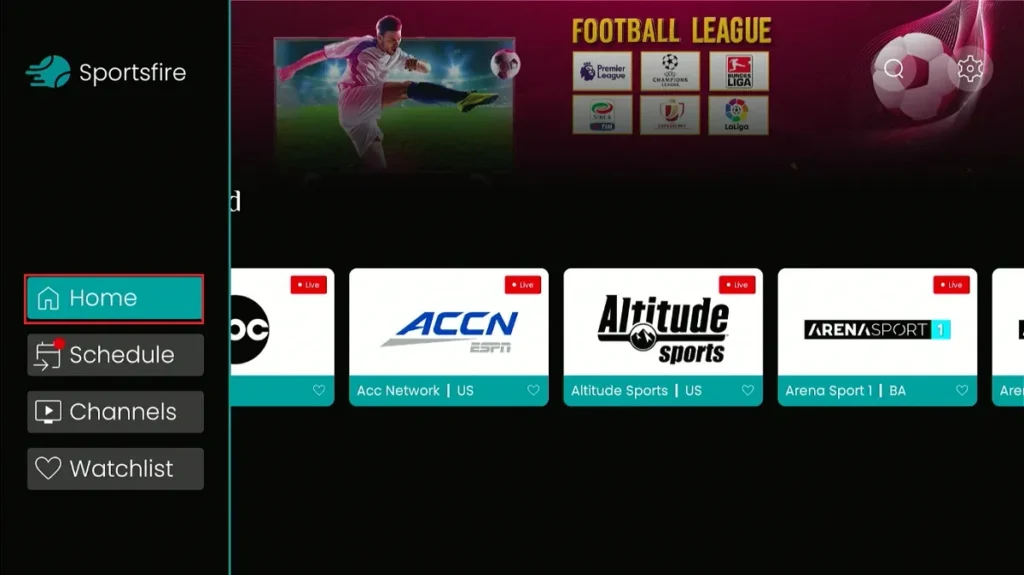
Image Source: Fire Stick Tricks
SportsFire is a free IPTV app focused purely on live sports. Launched in November 2022, it quickly built a loyal user base among fans who want live matches with minimal lag—without paying subscription fees.
SportsFire Features
- Coverage for a wide range of sports: football, basketball, baseball, hockey, tennis, boxing, UFC, and more
- Auto-updating daily schedule of current and upcoming events
- High-quality streams with minimal buffering
- Simple, user-friendly interface
- Match schedules, results, and additional sports news/analysis
SportsFire Pros and Cons
Pros:
- Completely ad-free as of June 2025
- Very little buffering on most streams
- Easy-to-navigate interface
- Daily updated event schedule
- Multi-language support (English, French, Italian)
Cons:
- Some users still report occasional lag
- Not all channels are in HD
- Fewer configuration options than some rival apps
- Not on Google Play or Amazon Appstore
SportsFire Supported Devices
Works best on streaming and Android-based devices:
- Amazon Firestick / Fire TV
- Android Box / Google TV / NVIDIA Shield
- Android smartphones
- Smart TVs with Android OS
Roku requires extra workarounds. The app must be sideloaded because it’s not in official stores.
SportsFire Legal Status
SportsFire’s legal status is cloudy. The app is offered via its official website and claims full copyright ownership, but it appears to provide access to premium sports content that may not always be licensed. Using the app itself is legal; streaming certain content might not be. A VPN is strongly recommended for privacy and security.
UK Turks
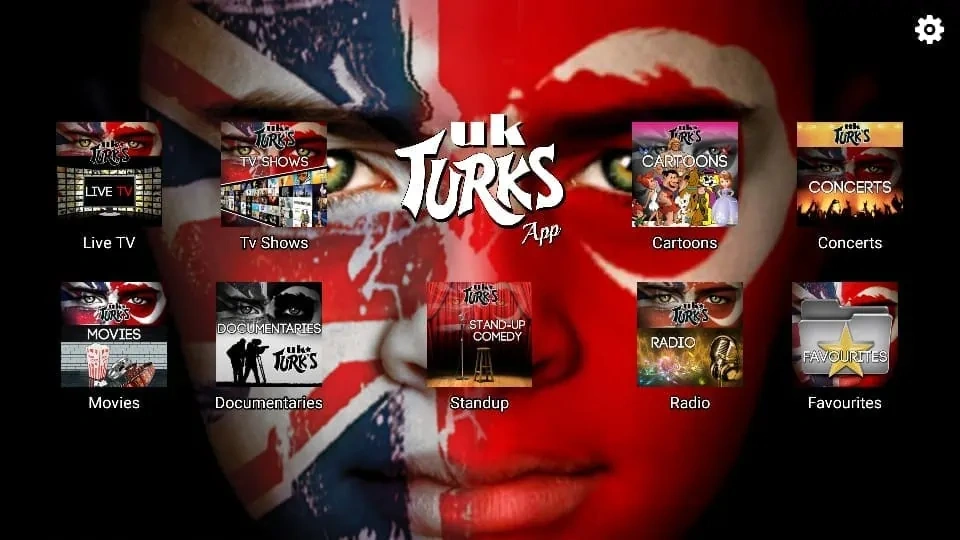
Image Source: Fire Stick Tricks
UK Turks is a veteran in the free IPTV and streaming world, with around 8 years of history. A major update to version 1.1.6 introduced fresh features and stability improvements.
UK Turks Features
- Huge content range: Live TV, Movies, TV Shows, Cartoons, Concerts, Documentaries, Standup, Radio
- Subcategories such as Premium Live TV Channels, Premium Sports, Turkish TV
- Generally reliable HD streams with low buffering
- Token-based access for premium channels (each token lasts around 3 hours)
UK Turks Pros and Cons
Pros:
- Very easy-to-use interface
- Massive multi-genre content library
- Works with external players like VLC and MX Player
- Latest update added new categories and bug fixes
- Token-based login adds an extra layer of access control
Cons:
- TV Shows section has issues, even with Real-Debrid
- Banner ads appear on the home screen
- VirusTotal has flagged some suspicious files (potential malware risk)
- Requires an activation code during setup
UK Turks Supported Devices
- Any Android device
- Amazon Firestick / Fire TV
- Android TV / Google TV devices
As it’s not in official app stores, you’ll need to sideload UK Turks.
UK Turks Legal Status
UK Turks functions like a content search/indexing app rather than a direct host, but it may still surface copyrighted content without licences. Legal status is uncertain. For safety and privacy, a VPN is advised.
Pluto TV
Image Source: Pluto TV
Pluto TV is one of the most trustworthy free IPTV-style services. It’s an ad-supported streaming TV service owned by Paramount Global and fully licensed.
Pluto TV Features
- 250+ live channels in a cable-style grid
- Categories like Featured, Movies, Comedy, Classic TV, News, Sports, Kids
- No account needed—just open the app or website and start watching
- Thousands of on-demand movies and shows
- Content from major brands: MTV, Nickelodeon, Comedy Central, plus news from NBC, CBS, CNN, and more
Pluto TV Pros and Cons
Pros:
- Completely free – no credit card or signup required
- 250+ live channels with a familiar cable-like feel
- Large on-demand catalogue
- Backed by a major media company (Paramount)
Cons:
- Ad-supported (roughly four ad breaks per 30 minutes)
- No DVR (can’t record or pause live)
- Some content may feel older or less “premium” than paid services
- Occasional buffering
Pluto TV Supported Devices
Pluto TV works on:
- Smart TVs (Samsung, LG, Vizio)
- Streaming devices (Roku, Fire TV, Apple TV, Android TV, Chromecast)
- Gaming consoles (PS4/PS5, Xbox One/Series X/S)
- iOS and Android mobiles
- Web browsers
- Certain cable/satellite platforms (TiVo, Xfinity, Verizon, etc.)
Pluto TV Legal Status
Fully legal and licensed. Being owned by Paramount Global means Pluto TV has direct agreements for around 425 channels and 100,000+ hours of content. It’s one of the safest free IPTV-style platforms available.
Live Net TV
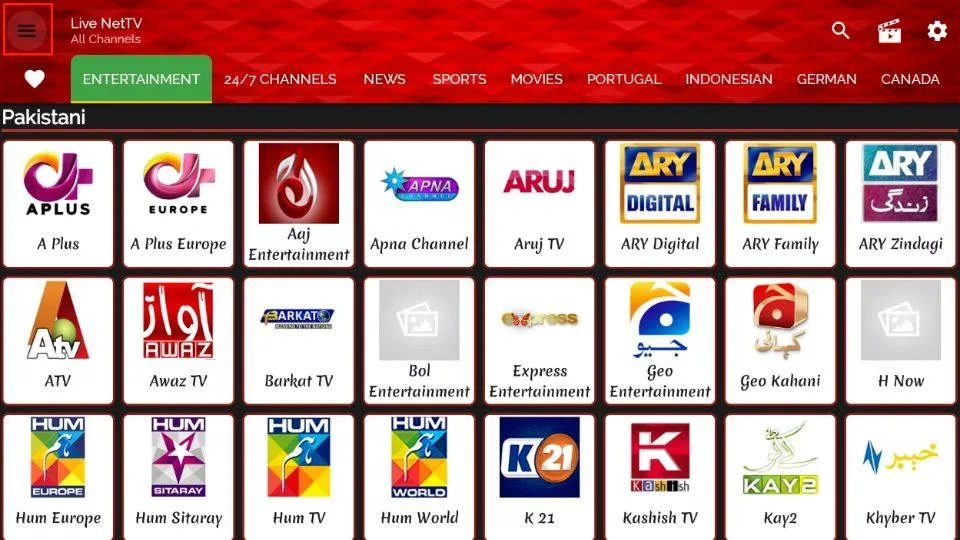
Image Source: Fire Stick Tricks
Live Net TV is a long-running favourite among free IPTV users, with millions of people streaming TV channels without subscription fees.
Live Net TV Features
- 800+ live TV channels across nine categories:
Sports, Entertainment, News, Movies, Documentaries, Cooking, Music, Kids, Religious - Global channels accessible from almost anywhere
- Favourites list, search function, and external player support (MX Player, VLC)
- Dedicated sports category and a “Live Events” tab for current matches
Live Net TV Pros and Cons
Pros:
- 100% free, no signup needed
- Very large, diverse channel selection
- TV-box-friendly interface
- Multi-language support (English, Hindi, Urdu, Arabic, Spanish, French, etc.)
- Users can request channels within the app
Cons:
- Some sources are unreliable, especially for obscure channels
- Contains ads or may monetise device resources
- Channels can go offline temporarily
- Potential security and copyright concerns
Live Net TV Supported Devices
- Android phones and tablets
- Amazon Fire TV / Firestick
- Android TV boxes
It must be sideloaded because it’s not in official app stores.
Live Net TV Legal Status
Legal status is uncertain. The app doesn’t host content but aggregates free streaming links, some of which may be unlicensed. Users are responsible for what they watch. Using a VPN is strongly recommended to help protect privacy.
Redbox TV
Image Source: redboxtvs.org
Redbox TV differentiates itself with a very large range of channels and international coverage.
Redbox TV Features
- 1,000+ live channels from ~15 countries
- Categories: movies, sports, news, kids, science, discovery, religious, and more
- Clean, simple interface with top-bar search for quick channel finding
- Streams from the US, UK, Canada, France, Germany, Turkey, Indonesia, Bangladesh, Italy, Australia, India, Pakistan, and others
Redbox TV Pros and Cons
Pros:
- Completely free, no subscription or login
- Works with external players (MX Player, VLC, XYZ Player)
- Lightweight app (under 30MB)
- Multi-language support
Cons:
- Not listed in official app stores (must sideload)
- Stream quality heavily depends on your connection
- Legal and security concerns remain unresolved
- The official Redbox streaming company went bankrupt in 2024
Redbox TV Supported Devices
- Android phones and tablets
- iOS devices
- Smart TVs
- Firestick
- Chromecast
- Windows and Mac (via emulators or casting)
Redbox TV Legal Status
Unclear. The app aggregates live streams from many internet sources instead of hosting them. Some may infringe copyright. Experts advise using a VPN to protect privacy when using such apps.
Tubi
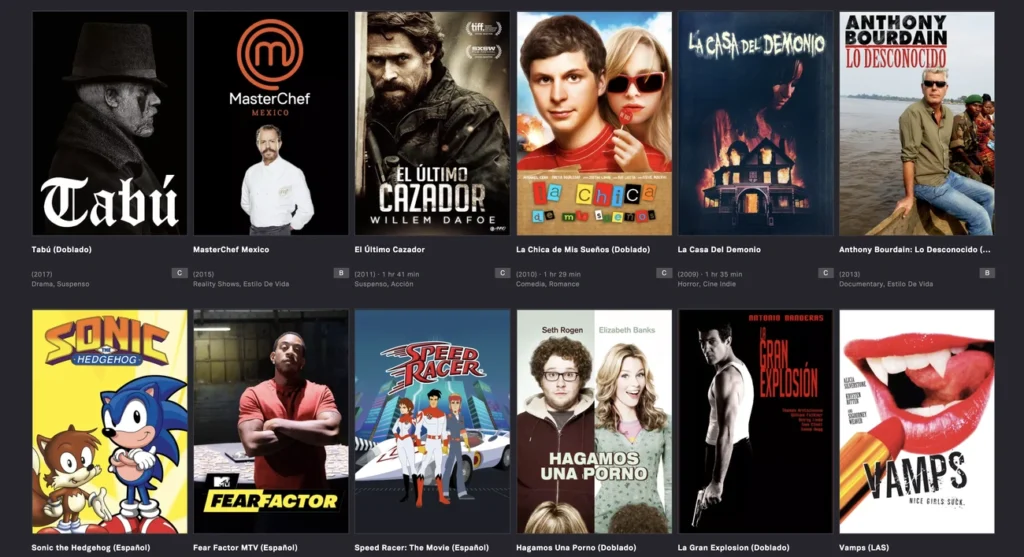
Image Source: TubiTV Corporate
Tubi is a fully legal, ad-supported streaming service owned by Fox Corporation. It’s often seen as a legitimate alternative to many “gray-area” free IPTV apps.
Tubi Features
- Over 52,000 movies and TV episodes
- 260+ live TV channels
- Curated sections: Popular, Genres, Collections, Channels
- Fun subcategories like “Not on Netflix” and “Highly Rated on Rotten Tomatoes”
- Growing library of Tubi Originals (documentaries, horror, true crime)
- No account required (optional signup for watchlists, parental controls, recommendations)
Tubi Pros and Cons
Pros:
- 100% free, no subscription costs
- One of the largest free libraries
- Ads are shorter than traditional TV (around 4–6 minutes per hour)
- Parental controls available
Cons:
- Unskippable ads
- Max resolution is usually 720p
- No offline downloads
- Mostly older content
- Not available everywhere globally
Tubi Supported Devices
- Android and iOS phones/tablets
- All major streaming devices (Roku, Fire TV, Apple TV, Chromecast, Android TV)
- Web browsers
- Smart TVs (Samsung, Sony, Vizio, etc.)
- Consoles (PS4/PS5, Xbox One/Series X/S)
- Some cable platforms (TiVo, Xfinity, Cox Contour)
Tubi Legal Status
Completely legal. Fox bought Tubi for $440M in 2020. Content comes from over 250 partners (Paramount, MGM, Lionsgate, etc.) and is funded via advertising, not questionable sources.
Rapid Streamz
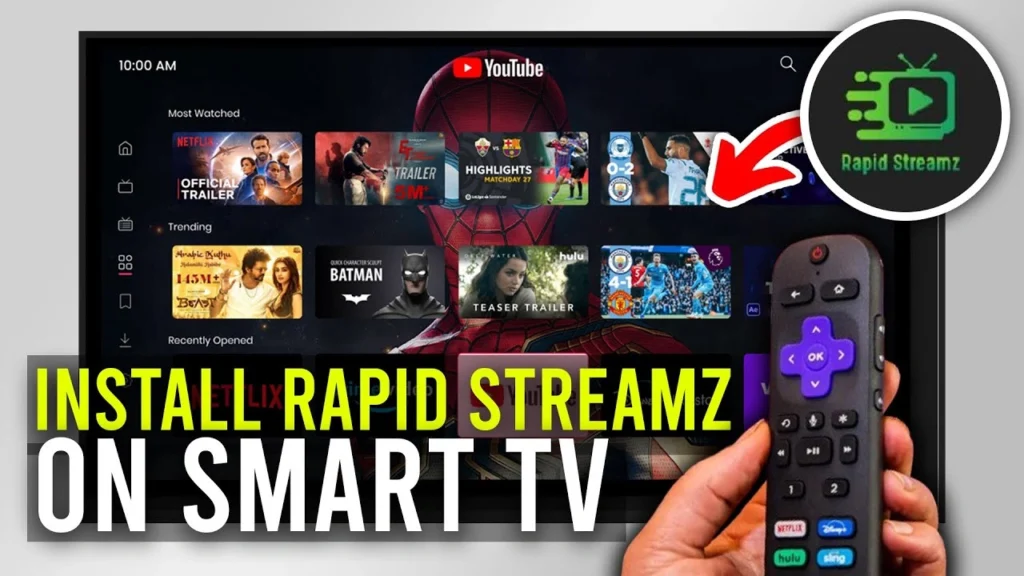
Image Source: YouTube
Rapid Streamz is a popular free IPTV app offering hundreds of live channels worldwide with no subscription fees.
Rapid Streamz Features
- 800+ live TV channels across categories: sports, entertainment, news, movies, and more
- Daily Live Events Schedule with multiple links per match
- Each channel provides several streaming links for backup
- Works with external players like VLC and MX Player
- Simple, category-based interface with country-specific sections (e.g., Australia TV, Canada TV, USA TV)
Rapid Streamz Pros and Cons
Pros:
- Large global channel library
- Backup links reduce stream failures
- Generally high-quality video with minimal buffering on good internet
- Straightforward navigation and layout
- External player integration for better control
Cons:
- Buffering on slow or unstable connections
- Ads appear on some channels
- Not in official app stores
- Some streams may raise legal concerns
- Occasional channel issues or outages
Rapid Streamz Supported Devices
- Android smartphones and tablets
- Amazon Firestick / Fire TV
- Android TV boxes
- Windows and Mac via Android emulators (BlueStacks, NoxPlayer, etc.)
Rapid Streamz Legal Status
Like many free IPTV apps, Rapid Streamz is in a legal gray area. The app itself is just a tool, but some streams may lack proper licences. Use a VPN and good judgement when streaming.
The TV App
Despite the name, The TV App isn’t actually an app – it’s a live TV streaming website. After USTVGO shut down, it quickly became a go‑to alternative for users looking for free live TV, and many now consider it one of the best no‑cost options available.
The TV App – Features
The TV App offers around 118 live channels in both HD and SD quality. Its lineup is heavily focused on US content and is neatly arranged into News, Entertainment, and Sports categories.
Highlights include:
- Dedicated sports sections for:
- Football
- Soccer
- Baseball
- Hockey
- Basketball
- PPV events
- Popular channels such as:
- AMC, Animal Planet, BBC, Bloomberg TV, CBS Sports Network, CNBC, CNN, ESPN, Discovery, FOX Sports, TBS, FX
Streams typically load quickly with minimal buffering, giving a smooth viewing experience most of the time.
In January 2025, the platform introduced “TheTVSub”, a premium IPTV-style service that offers:
- 5,000+ live channels
- Around 15,000 VOD titles
- Two simultaneous connections per account
The TV App – Pros and Cons
Pros
- Clean, simple interface with very few cluttered ads
- Generally smooth, fast streaming performance
- Strong selection of well-known networks
- Token-based access system adds an extra layer of security
- No registration required – you can start watching instantly
Cons
- Navigation can be awkward on Firestick and some other streaming devices
- Content is largely US-only
- Service occasionally goes offline or changes URLs
- VirusTotal has flagged “suspicious” files associated with the site
- Advanced/premium features require a paid TheTVSub subscription
The TV App – Supported Devices
The TV App works best on:
- PCs and laptops
- Tablets
- Smartphones
Using it directly on streaming boxes like Firestick can be frustrating due to navigation issues. However, the introduction of an M3U playlist has helped:
- You can now load The TV App’s channel list into compatible IPTV players on:
- Firestick / Fire TV
- Android TV
- Google TV boxes
This workaround makes it more usable on big‑screen devices.
The TV App – Legal Status
The legal situation around The TV App is uncertain:
- It appears to stream channels without clear licensing information
- Security tools like VirusTotal have reported “suspicious” files tied to the domain
Because of this, security and privacy experts advise:
- Using a reputable VPN whenever you access the site
- Being aware of potential copyright and security risks when streaming through unverified platforms
TVTap
Image Source: Soft112
TVTap has become increasingly popular among free IPTV users, especially since the release of version 3.2, which introduced an improved channel lineup and smoother performance. The app’s main appeal is how simple it makes live TV streaming for everyday viewers.
TVTap Features
TVTap offers a broad collection of cable-style TV channels from around the world, neatly organised into categories such as:
- Entertainment
- Movies
- Music
- Sports
- Documentaries
The interface is designed to be clean and intuitive, so you can move through categories and channels without any learning curve.
Key functionality includes:
- Support for external video players (like MX Player), which can significantly reduce lag and buffering
- Multiple streaming links per channel, allowing you to switch sources quickly if one stops working
- A built-in search tool that makes it easy to jump straight to the channel you want without endless scrolling
TVTap Pros and Cons
Pros
- Very easy-to-use layout that works well with remote controls
- Compatible with external players (VLC, MX Player, etc.) for better playback
- Backup links for each channel to keep streams running
- Fast, effective search function
- No registration required – you can watch immediately
Cons
- May stream copyrighted content without proper licensing in some regions
- Ads are present, and you’ll need a premium version or tweaks to remove them
- Some channels can be unreliable or go offline
- Not available in official app stores – APK must be sideloaded
- Operates in a legal gray area in many countries
TVTap Supported Devices
TVTap is primarily built for Android-based platforms and works well on:
- Android phones and tablets
- Amazon Firestick / Fire TV
- Android TV boxes
- Google TV devices
Some unofficial variants or ports may also run on iOS, but Roku is not supported unless you use complex workarounds.
Because it’s not listed in the Google Play Store or Amazon Appstore, you’ll need to sideload the app on most devices.
TVTap Legal Status
The legal status of TVTap is uncertain:
- It appears to aggregate and stream channels that may not always be properly licensed
- While VirusTotal scans of the APK haven’t shown obvious malware, licensing of the content itself is not clearly documented
Additionally, “TVTAP” was once a registered trademark owned by Cirrus Logic, Inc. (No. 2184463), but that registration is now marked “Dead/Canceled.”
Because of the gray-area nature of the streams:
- Experts strongly recommend using a secure VPN
- Users should be cautious and accept responsibility for any content they choose to access through the app
Swift Streamz
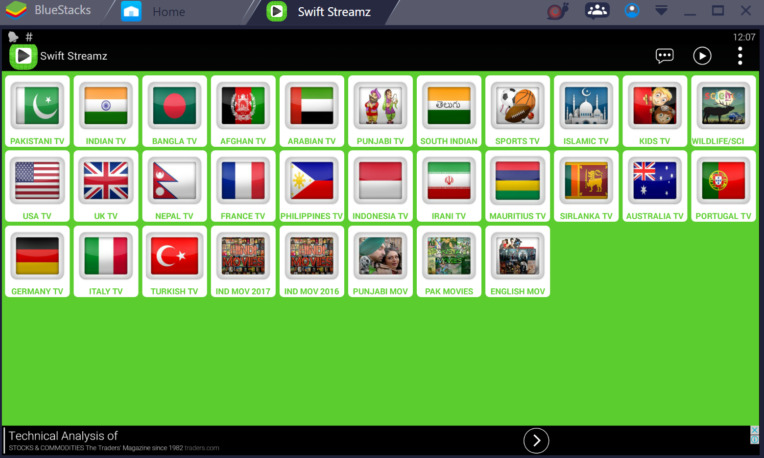
Image Source: swiftstreamapk.com
Swift Streamz is one of the more popular free IPTV apps, offering access to 700+ live TV channels from around the world at no cost.
Swift Streamz Features
Swift Streamz organises its large content library into easy-to-browse categories such as:
- Kids
- Sports
- International
- Movies
- Science
- TV Channels
- Music
Highlights:
- Channels and content are available in 100+ languages
- Streams from dozens of countries and regions
- A handy Favorites feature allows you to save and quickly access your favourite channels
- No sign-up or account required – you can start watching immediately
Swift Streamz Pros and Cons
Pros
- Recent updates have reduced buffering and improved speed
- Most live TV links are stable and work well
- Compatible with external players like MX Player Pro for smoother playback
- Simple navigation that works well on TV devices without Mouse Toggle
- Completely free to use
Cons
- Ads can appear when reopening links or switching channels
- Some movie streams suffer from buffering or download issues
- No Trakt integration to track viewing history
- Certain features may be disabled temporarily during maintenance or updates
- No premium/paid option to remove ads
Swift Streamz Supported Devices
Swift Streamz is known for strong device compatibility. It runs on:
- Android phones and tablets
- Amazon Firestick / Fire TV
- Android TV boxes
- Nvidia Shield TV
- iPhone and iPad (via specific builds)
- Windows and Mac computers using Android emulators
Recent updates have also added Chromecast support, making it easy to cast content to larger screens.
Swift Streamz Legal Status
Security scans generally indicate the app itself is free of malware and viruses. However:
- It aggregates content from third-party sources
- Some of those sources may not have proper distribution rights
As with many free IPTV apps, Swift Streamz operates in a legal gray area. Experts recommend:
- Using a trusted VPN
- Being aware of copyright rules in your region
- Taking care when choosing which streams to watch
Kraken TV
Image Source: Live Net TV
Kraken TV is another well-known free IPTV application, offering 3,000+ live channels across categories like sports, movies, entertainment, news, and more. It’s popular due to its simple interface and extensive library.
Kraken TV Features
Kraken TV provides streams from many countries and organises them by region. Examples include:
- US – 69 channels
- UK – 91 channels
- Canada – 47 channels
- Australia – 25 channels
- Plus numerous others worldwide
Key features:
- One-click playback via a clean, straightforward interface
- Customisable Favorites tab for quick access to preferred channels
- Multiple streaming sources per channel for fallback if a link fails
- Support for external players like MX Player to improve streaming performance
- A side “hamburger” menu linking to:
- Live Channels
- Movies
- Settings
- Disclaimer
- Share
Kraken TV Pros and Cons
Pros
- Completely free – no subscription or hidden fees
- Very simple and beginner-friendly interface
- Large multilingual channel selection across many genres
- Works with external video players for better playback control
- Includes parental control options for safer family viewing
Cons
- Contains ads (though usually not too intrusive)
- Many streams are limited to SD quality
- Not available on official app stores – needs to be sideloaded
- Some streams may not be legally licensed
- Occasional downtime and inconsistent links
Kraken TV Supported Devices
Kraken TV runs on many platforms, including:
- Amazon Firestick / Fire TV
- Android TV boxes
- Android smartphones and tablets
- iOS devices (via specific builds/workarounds)
- Windows and Mac via Android emulators
You’ll need Android 5.0 or higher on Android-based devices.
Kraken TV Legal Status
Installing and running the Kraken TV app is generally legal, but:
- Many of the streams it aggregates may not have proper rights from content owners
For this reason, experts advise:
- Using a VPN when streaming
- Understanding local copyright laws before using the app heavily
Ola TV
Image Source: Fire Stick Tricks
Ola TV is one of the oldest and biggest names among free IPTV apps, active since 2017. It’s known for its enormous channel catalog – reportedly up to 50,000 channels from around the world.
Ola TV Features
Ola TV focuses almost entirely on live TV, not on-demand content. It:
- Uses web scrapers to find working live TV links and refresh them daily
- Presents channels in a tile-based interface that’s fairly light and quick
- Organises everything by:
- Country
- Category
- City/region
- Lets you create a Favorites tab to store frequently watched channels
Because it has no built-in player, Ola TV requires companion apps:
- Kshaw
- Ludio Player
Ola TV Pros and Cons
Pros
- Massive selection of channels (around 50,000) from many countries
- Created by “IPTV Droid” – developers with long IPTV experience
- Easy navigation by country, genre, and region
- Solid uptime with ongoing support and updates
- Optimised specifically for live TV, often with less buffering than raw links
Cons
- No VOD – live channels only
- Historically criticised for too many ads
- Needs extra apps (Kshaw & Ludio) to function properly
- Can slow down older or low-powered mobile devices
- No PVR (recording) or timeshift functionality
Ola TV Supported Devices
Ola TV runs on most Android platforms, including:
- Android smartphones and tablets
- Android TV boxes
- Amazon Firestick / Fire TV (via sideloading)
Windows PC users can also run Ola TV via Android emulators, which isn’t common for all free IPTV apps.
Ola TV Legal Status
Like many similar apps, Ola TV exists in a legal gray area:
- It has been known to serve links for premium content from providers like ABC, Sky, Netflix, Hulu, etc., without clear licensing
- It does not host content itself, but scrapes links from other sites
Users should:
- Use a VPN to protect privacy and avoid blocking
- Understand that content rights may not be fully respected
123TV
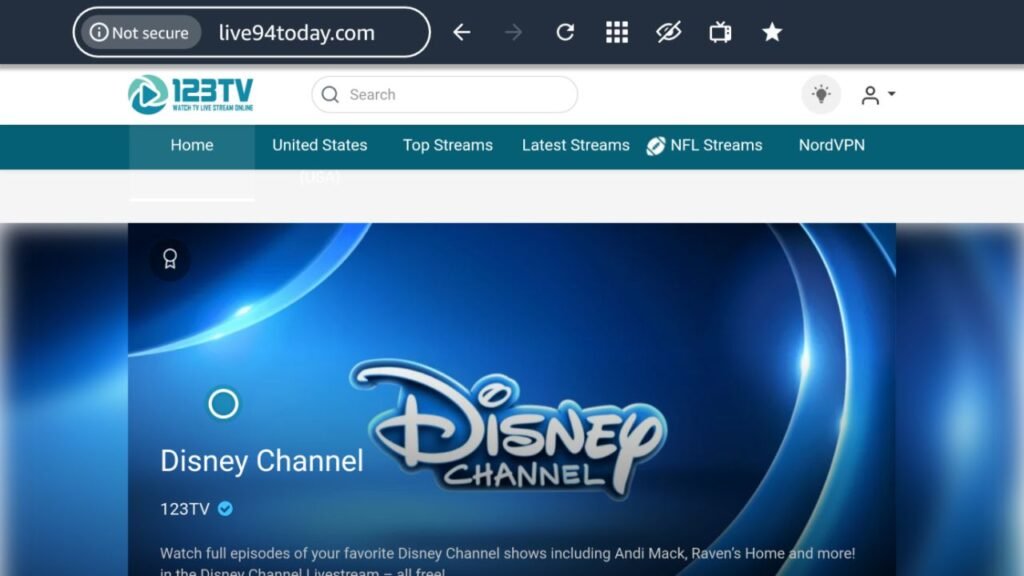
Image Source: vpncheck
123TV started as a free live TV website and continues to offer hundreds of channels, including sports, local news, and entertainment, aimed primarily at cord-cutters.
123TV Features
Key features include:
- Categories for News, US, Entertainment, Sports, and more
- Cleaner interface with fewer ads than many competing free sites
- Instant streaming – click a channel and it starts playing right away
- A program guide that shows schedules up to two days in advance
- Generally reliable streams with limited interruptions
123TV Pros and Cons
Pros
- No registration or account required
- Minimal advertising compared to many free streaming sites
- Works well with VPNs for region flexibility
- Fast-loading streams
- Multi-day program guide built in
Cons
- Most streams are standard definition
- Buffering depends heavily on your internet connection
- Fewer channels than premium IPTV services
- Legal status is questionable
- Some site instances lack SSL (HTTPS), exposing IP information
123TV Supported Devices
Since it’s website-based, 123TV works on virtually any device with a browser:
- Amazon Firestick / Fire TV (via Silk or another browser)
- Android TV boxes
- Windows PCs and Macs
- Smartphones and tablets
Just open the site in a browser and select a channel.
123TV Legal Status
123TV’s legal standing is uncertain:
- It has previously been taken down or blocked
- The site’s “About Us” page says it only links to third-party hosts, but this doesn’t necessarily solve copyright issues
Because of that:
- Experts recommend using a VPN
- Users should understand they could be watching unlicensed content
VIPRow Sports

Image Source: Sbcodez | Swag Codez
VIPRow Sports is a free sports streaming website that brands itself as “sports stream heaven.” It’s popular with viewers who want to watch live sports events without signing up or paying.
VIPRow Sports Features
The platform provides:
- A wide range of sports:
- Football
- Basketball
- Tennis
- UFC
- Motorsports
- And more
- Multiple streaming links for each event, so you can switch if one link fails
- A simple, easy-to-use layout that makes it straightforward to find matches
- An updated schedule of upcoming events to help plan your viewing
VIPRow Sports Pros and Cons
Pros
- Completely free, no registration required
- Broad coverage of many different sports
- Several stream options for each event
- Simple interface accessible to most users
- Frequent updates to schedules and links
Cons
- Licensing of content is highly questionable
- Ads can be intrusive and disruptive
- Third-party links can expose users to security risks
- No official mobile app (browser-only)
- Stream quality and reliability vary depending on source
VIPRow Sports Supported Devices
Since VIPRow is web-based, it works on:
- Smartphones
- Tablets
- Laptops and desktops
Its responsive design adapts to different screen sizes. All you need is a modern web browser; no extra software is required.
VIPRow Sports Legal Status
VIPRow operates in a legal gray zone:
- It doesn’t appear to host content; instead, it aggregates links from various sources
- Many of those streams may be unlicensed
Experts advise:
- Always using a VPN
- Understanding that you may be viewing copyrighted content without permission
Airy TV
Image Source: Amazon.com
Airy TV is a legitimate free streaming service available directly in the Amazon Appstore and Google Play Store. Unlike many IPTV-style apps, it’s fully above board and ad-supported.
Airy TV Features
Airy TV offers 60–100+ free channels, organised into sections such as:
- Live Streams
- Featured
- Movies & Classic Movies
- Classic TV Series & Classic Kids
- TV Shows & Reality
- Comedy
- Food & Travel
- Documentaries & Thriller
- Español
- Sports
- Music
Users appreciate:
- A very lightweight, straightforward interface
- A rewards program where you can earn gift cards
- The motto “Destination for Free TV, Forever” reflecting their free, ad-based model
Airy TV Pros and Cons
Pros
- Entirely free – no subscription, registration, or login needed
- Available in official app stores, which confirms its legitimacy
- Good variety of movies, shows, comedy, music, and kids’ content
- Simple navigation that works well on most devices
- Broad compatibility (phones, TVs, streaming devices, browsers)
Cons
- Ad-supported, with frequent adverts
- Content quality and freshness have declined over time
- Most programming is older or classic material
- Some users report channels disappearing occasionally
- Video quality is generally lower than premium paid services
Airy TV Supported Devices
Compatible with:
- Amazon Fire TV / Firestick
- iPhone and iPad
- Android phones and tablets
- Any device with a modern web browser
The app is small (around 21MB) and runs well even on older hardware. Android devices require version 8.0.0 or later.
Airy TV Legal Status
Airy TV is fully legal and licensed:
- Distributed via Amazon Appstore and Google Play
- Uses ads to fund legitimate content licensing
- States in its privacy policy that user data is not sold to third parties (beyond standard analytics/ads)
It’s one of the safest free TV options available today.
Ocean Streamz
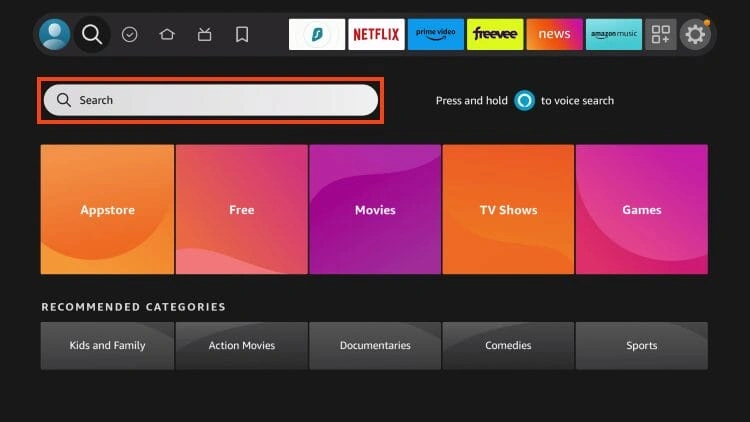
Image Source: TROYPOINT
Ocean Streamz is an all-in-one streaming app that offers movies, TV shows, live TV, and anime at no subscription cost, popular among users who want everything in one place.
Ocean Streamz Features
Key traits:
- Scrapes free links from various websites instead of hosting content itself
- Offers high-definition streams across multiple categories
- Integrates with Real-Debrid, enabling higher-quality streams (up to 4K)
- Built-in media player (no need for external players)
- Dedicated Anime section in addition to movies and regular TV shows
- Live TV section that usually runs smoothly when links are active
Ocean Streamz Pros and Cons
Pros
- Ad-free viewing experience
- Clean, intuitive interface
- Good performance on many live TV streams
- Real-Debrid integration for premium-quality links
- Combines VOD, live TV, and anime in one app
Cons
- Fewer channels than many dedicated IPTV apps
- No support for external players like MX Player
- Some installation methods (codes/APKs) may pose security risks
- Many links likely lack proper distribution rights
- Live TV reliability can be inconsistent
Ocean Streamz Supported Devices
Works on:
- Android phones and tablets
- Android TV
- Amazon Firestick / Fire TV
- Nvidia Shield
- Windows PCs and Macs via Android emulators
Installation typically involves:
- Downloading the APK from the developer’s site
- Or using a downloader app with a short code (commonly 99317 as of June 2025)
Ocean Streamz Legal Status
The app itself:
- Does not host content
- Only lists scraped links
But:
- Many of those links appear to point to unlicensed sources
Users are responsible for what they stream and should:
- Use a VPN
- Avoid sharing personal data
- Be aware of local copyright laws
HD Streamz
Image Source: ThalaTech
HD Streamz is a well-known free IPTV-style app that offers hundreds of live TV channels from around the globe, with a strong focus on Indian and regional content.
HD Streamz Features
Highlights:
- Live channels from many countries
- Extensive Hindi and regional Indian channels for news, sports, drama, etc.
- Numerous dedicated sports channels
- Support for live radio stations as well as TV
- Flexible stream quality choices, with many HD options
- Ability to record live TV and access some shows on demand
HD Streamz Pros and Cons
Pros
- Free to use with no registration
- Very simple, user-friendly interface
- Works with external players (MX Player, VLC, X Player)
- Backup links if one stream fails
- Plenty of HD streaming options
Cons
- Not available in official app stores (Google Play, etc.)
- APK must be downloaded from third-party websites
- Privacy and data security may be at risk depending on source
- Some content likely lacks proper licensing
- Ad-supported, and shady clones may contain malware
HD Streamz Supported Devices
Best suited for Android platforms:
- Android smartphones and tablets
- Android TV boxes
- Amazon Fire Stick / Fire TV (via sideloading)
Since it’s not on Google Play, users must install the APK manually.
HD Streamz Legal Status
HD Streamz’s legal standing is questionable:
- It aggregates content from various sources that may not be licensed
- Some security vendors have detected malicious code in certain versions
Potential risks include:
- Data collection and sale (e.g., IP addresses, device info)
- Exposure to malware if downloaded from unsafe sites
To minimise harm:
- Only download from trusted communities
- Always use a robust VPN
- Keep device security software up to date
- Avoid entering personal details into the app
Comparison Table
| App Name | Number of Channels | Key Features | Device Compatibility | Content Categories | Legal Status | Notable Pros | Notable Cons |
|---|---|---|---|---|---|---|---|
| StreamFire | 180+ | HD streaming, Watchlist feature, EPG support | Firestick, NVIDIA Shield Pro | News, Entertainment, Sports, Kids, Movies, Music | Not verified | No ads, HD quality streams, Loads quickly | Few international channels, Won’t work on mobile |
| SportsFire | Not specified | Schedule updates daily, Supports multiple languages | Firestick, Android Box, Google TV, NVIDIA Shield, Android smartphones | Sports (Football, Basketball, Baseball, Hockey, Tennis, Boxing, UFC) | Not clear | No ads, Quick loading, Updated schedule daily | Lags sometimes, Some channels aren’t HD |
| UK Turks | Not specified | Uses tokens, Works with external players | Android devices, Firestick, Fire TV | Live TV, Movies, TV Shows, Cartoons, Concerts, Documentaries | Legal status unclear | Easy-to-use, Huge content library | Has banner ads, Safety risks |
| Pluto TV | 250+ | Cable-style grid layout, On-demand content | Smart TVs, Streaming devices, Gaming consoles, Mobile devices, Web browsers | Movies, Comedy, Classic TV, News, Sports, Kids | Legal | No signup needed, Known brands | Shows ads, Can’t record shows |
| Live Net TV | 800+ | Supports many languages, Works with external players | Android devices, Firestick, Fire TV | Sports, Entertainment, News, Movies, Documentaries | Not confirmed | Free without signup, Lots of channels | Sources not reliable, Has ads |
| Redbox TV | 1000+ | Works in many countries, Supports external players | Android devices, iOS, Smart TVs, Firestick | Movies, Sports, News, Kids, Science, Religious | Status unclear | Free with no fees, Works with many players | Not in official stores, Stream quality varies |
| Tubi | 52,000+ movies/shows, 260+ channels | Parent controls, Custom recommendations | Mobile devices, Web browsers, Streaming devices, Gaming consoles, Smart TVs | Movies, TV Shows, Live TV | Fully legal | No subscription cost, Huge library | Shows ads, Only 720p quality |
| Rapid Streamz | 800+ | Multiple stream sources, Live event schedule | Android devices, Firestick, Fire TV, Windows/Mac (via emulator) | Sports, Entertainment, News, Movies | Legal status unclear | Many streaming options, Good playback quality | Buffers often, Not in official stores |
Conclusion
Free IPTV apps are a fantastic alternative to expensive cable subscriptions. This piece explores 23 different options that deliver thousands of channels in a variety of categories without costing you a penny.
Your specific needs will determine the right free IPTV app for you. People who want legal certainty should think over fully legitimate services like Pluto TV and Tubi. These platforms use ad-supported models to provide hundreds of channels and extensive on-demand libraries. They also stay completely transparent about their business practices.
Many free IPTV applications have impressive channel lineups, but legal considerations exist. Apps like StreamFire, SportsFire, and Live Net TV remain in uncertain territory despite their popularity. Users are responsible for content accessed through these platforms. A VPN is highly advisable to improve privacy protection.
Device compatibility is a vital factor in selecting your ideal streaming solution. Most applications merge naturally with Android-based devices like Firestick and NVIDIA Shield. iOS users have fewer options available, with Tubi, Pluto TV, and Redbox TV being among the compatible choices.
Quality and reliability vary substantially across these free services. StreamFire and SportsFire excel with minimal buffering and ad-free experiences. Pluto TV trades some content freshness for complete legitimacy. Ola TV provides an amazing 50,000 channels but needs companion applications to work properly.
The free IPTV landscape will without doubt keep evolving as streaming technology advances. New contenders will emerge while existing platforms adapt to changing regulations and user expectations. These 23 options are excellent starting points to cut costs without sacrificing entertainment options.
Content variety, streaming quality, legal status, or device compatibility – think over what matters most to you before choosing a free IPTV app. This detailed guide helps you make an informed decision about the free IPTV service that best fits your streaming needs without spending money on subscriptions.
FAQs
Q1. Are free IPTV apps legal to use?
The legality of free IPTV apps varies. Some, like Pluto TV and Tubi, are fully legitimate and licensed. Others operate in a legal gray area by aggregating content from various sources. Users should exercise caution and be aware of potential copyright issues when using certain free IPTV apps.
Q2. What devices can I use to access free IPTV apps?
Most free IPTV apps are compatible with Android devices, including smartphones, tablets, and streaming devices like Amazon Fire TV Stick. Some apps also work on iOS devices, smart TVs, and computers via web browsers or emulators. Compatibility varies by app, so it’s best to check each app’s specific device support.
Q3. Do I need a VPN when using free IPTV apps?
While not always required, using a VPN is generally recommended when streaming content through free IPTV apps. A VPN can enhance your privacy, protect your personal information, and potentially bypass geographical restrictions on content.
Q4. What kind of content can I expect from free IPTV apps?
Free IPTV apps typically offer a wide range of content, including live TV channels, movies, TV shows, sports, news, and international programming. The quantity and quality of content can vary significantly between apps, with some offering hundreds or even thousands of channels.
Q5. Are there any drawbacks to using free IPTV apps?
Yes, there are some potential drawbacks. These may include lower video quality compared to paid services, more frequent buffering or connection issues, the presence of advertisements, and limited access to the latest content. Additionally, some free IPTV apps may pose security risks or have questionable legal status.